PDF Signer (Oxblood): sign a PDF in your browser
Oxblood is a one-page PDF signer. You open a PDF, draw your signature with a mouse, trackpad or finger (or type it), click where it goes, add the date, and download the signed copy. The work happens in your browser: the document, your signature and the result are never uploaded.
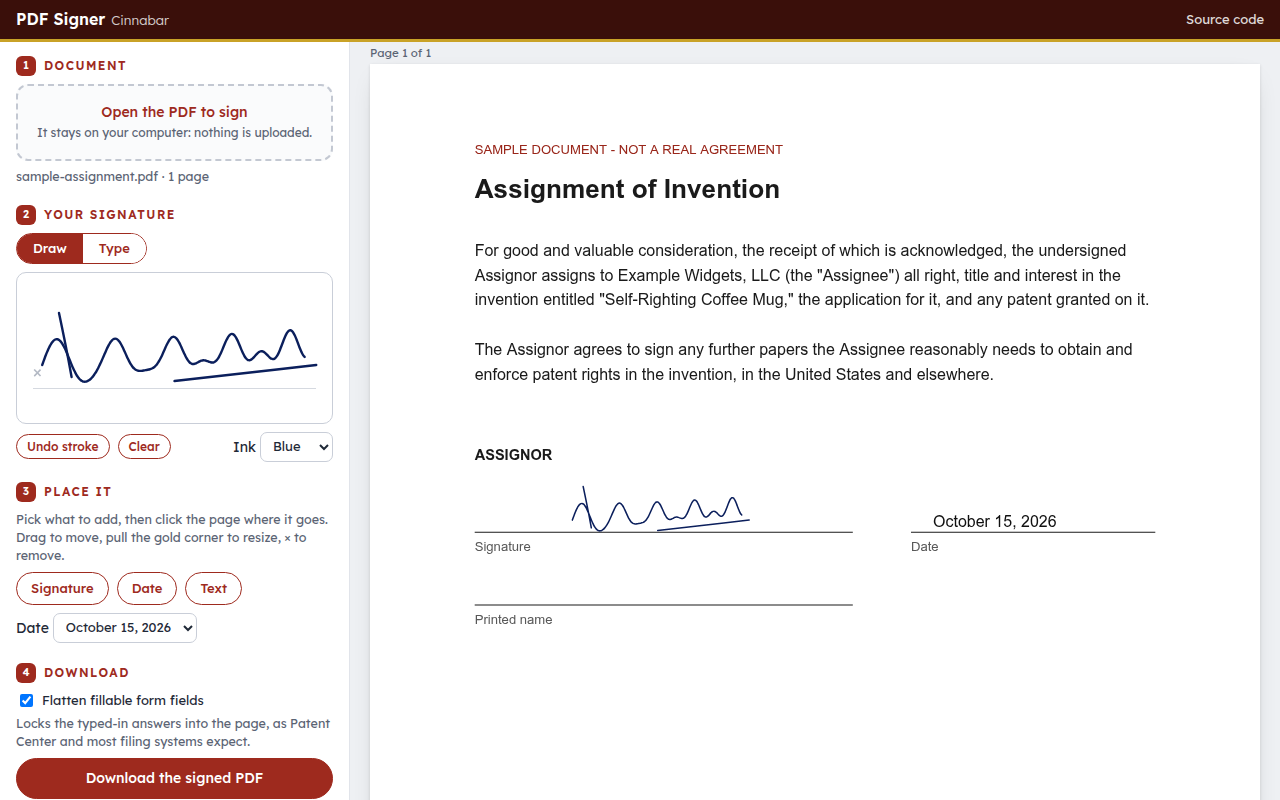
Try it: open index.html from any web server (python3 -m http.server), or add ?demo to the address to load a sample document.
What it does
- Drawn signatures are written into the PDF as smooth vector strokes in blue or black ink. No image is embedded, so they stay sharp at any zoom and add only a few kilobytes.
- Typed signatures have an optional USPTO /S/ mode. It insists the signer types the slashes themselves (
/Jane Q. Inventor/), as 37 CFR 1.4(d)(2) requires; it never adds them. - Date and free text (a printed name, a title) can be placed anywhere, in four date formats.
- Placement: click to place, drag to move, pull the corner to resize (the proportions are kept), and press Delete or × to remove.
- Fillable forms are flattened on request, so the answers typed into a USPTO form are locked into the page before it is filed.
- Coordinates: rotated and offset pages are handled. Items are kept in page coordinates and converted with the pdf.js viewport.
It uses pdf.js to show the pages and pdf-lib to write the copy. Both load from cdnjs. There is no build step and no server code.
What it is not
It gives no certificate-based digital signature, keeps no audit trail and checks no identity. It puts your mark on the page, nothing more. Whether a drawn or typed electronic signature is acceptable is up to the rules that govern the document.
Name
Oxblood is the dark red of old sealing wax, the way documents were signed and sealed before ink signatures were enough.
MIT License.