KDE Connect Fix for COSMIC (TLS Role Patch) (Scarlet)
KDE Connect links your phone to your computer. With it, text messages and other phone notifications pop up on the desktop, you can send files between the two, and the phone can act as a remote control. It is free, and there is an app for Android and one for the desktop.
The problem this fixes: on the COSMIC desktop the link keeps dropping, and once it drops the notifications quietly stop. The only way to get them back is to pick up the phone and open the KDE Connect app again.
Why it happens, in one line: when the two sides introduce themselves to each other, the desktop was speaking in the wrong order, so the phone's own attempts to reconnect were refused.
The fix is a small change to one file of the desktop program. You rebuild the program with the change and run that copy instead. This download is only that change — no ready-made program comes with it — so you (or Claude) have to build it, which is the "Information for nerds" part below.
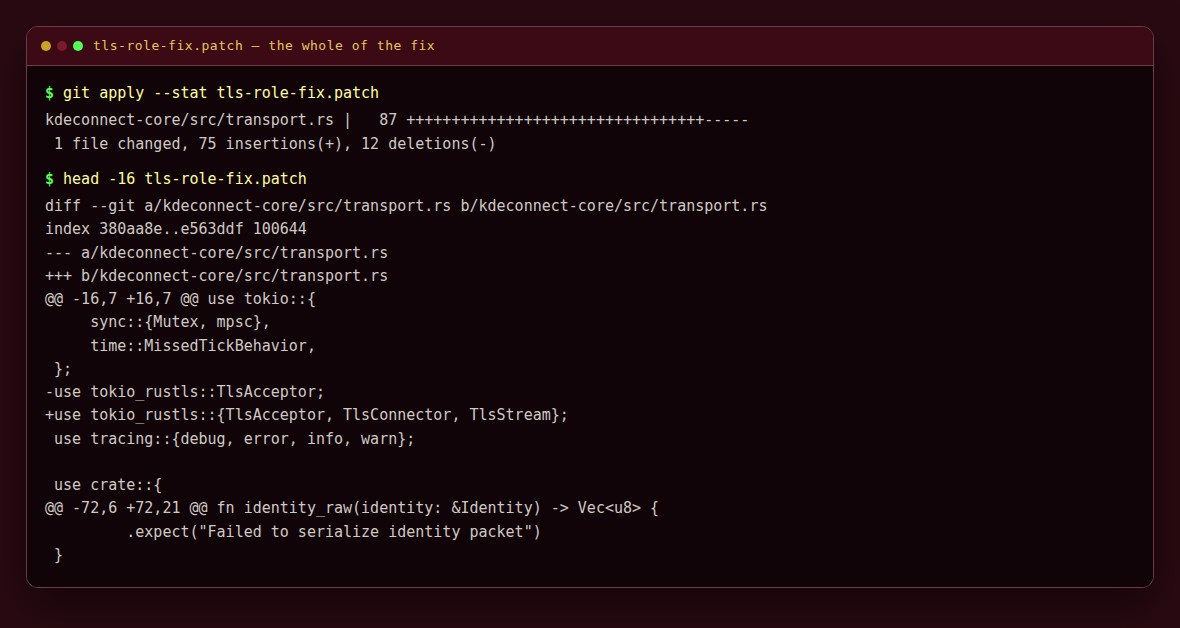
The whole fix. You apply it to the KDE Connect source and rebuild.
Please test before relying on it
This is shared as-is, with no warranty. It works on my own computers, but your system, settings and software versions may differ, so please try it in a safe setting first. If something doesn't work, you can ask Claude (or another AI coding assistant) to look into it, and I'd appreciate hearing what you found and how you fixed it. You are also welcome to just let me know at support@veered.org, and I'll look into it.
License
This patch is GPL-3.0, because they are derivative of cosmic-utils/kdeconnect, which is licensed GPL-3.0 (per the GitHub API and the repository LICENSE file). The
Information for nerds
The bug
Tested against upstream commit c83895fc1dde8073184df471b669ad2b999e31d1 (flatpak release 0.10.0), of the COSMIC KDE Connect daemon (cosmic-utils/kdeconnect, also shipped as the flatpak io.github.hepp3n.kdeconnect). No binaries and no source tree are distributed here, only the patch.
kdeconnect-core/src/transport.rs::complete_handshake() always upgraded the socket to TLS as the server, on both connection paths. The KDE Connect protocol ties the TLS role to who opened the TCP socket: the side that initiated the connection is the TLS server, and the side that accepted it is the TLS client.
| Discovery | Who dials TCP | Desktop TLS role (before) | Result |
|---|---|---|---|
| phone broadcasts UDP | desktop | server (correct) | works |
| desktop broadcasts UDP | phone | server (should be client) | TLS accept failed: tls handshake eof |
Android only broadcasts when the KDE Connect app is opened or refreshed, so once the link drops it only comes back when you open the app on the phone.
The fix
complete_handshake() gains a TlsRole parameter. On the TCP accept path the daemon now takes the client role (TlsConnector) and skips the plaintext identity send, since the peer's identity has already been read from the socket. The UDP discovery path keeps the server role. After the change the phone's own unprompted inbound connections complete and notification packets flow.
Files
tls-role-fix.patch contains only the TLS-role fix (transport.rs).
Building
sudo apt install build-essential cmake pkg-config libdbus-1-dev libpulse-dev
# Rust via rustup: https://rustup.rs

git clone https://github.com/cosmic-utils/kdeconnect.git
cd kdeconnect
git checkout c83895fc1dde8073184df471b669ad2b999e31d1
git apply /path/to/tls-role-fix.patch
cargo build --release -p kdeconnect-service
install -m755 target/release/kdeconnect-service ~/.local/bin/kdeconnect-service-patched
Newer upstream commits may already contain a fix or may need the patch rebased; git apply --check tells you before anything changes.
Running it alongside the flatpak
- Start the patched daemon at login, e.g.
~/.config/autostart/kdeconnect-service-patched.desktop:
ini [Desktop Entry] Type=Application Name=KDE Connect daemon (patched) Exec=%h/.local/bin/kdeconnect-service-patched X-GNOME-Autostart-enabled=true
(Some autostart implementations do not expand %h; use an absolute path if so.)
- The flatpak applet can still autostart for its tray icon; its bundled (unpatched) daemon exits on the single-instance guard when the patched one is already running. Start the patched daemon first.
- If the distribution's KDE
kdeconnectdis also installed, disable its autostart so it does not take UDP/TCP port 1716. - Pairing state lives in
~/.config/kdeconnect/.
Troubleshooting: if notifications stop, check the device shows as connected before anything else. A flatpak update replaces only the flatpak copy; the patched binary in ~/.local/bin is untouched.